Say It. See It.
Create It.
Just say or type what you want to make. Watch AI bring your child's idea to life, then change it, remix it, and explore it in 3D.
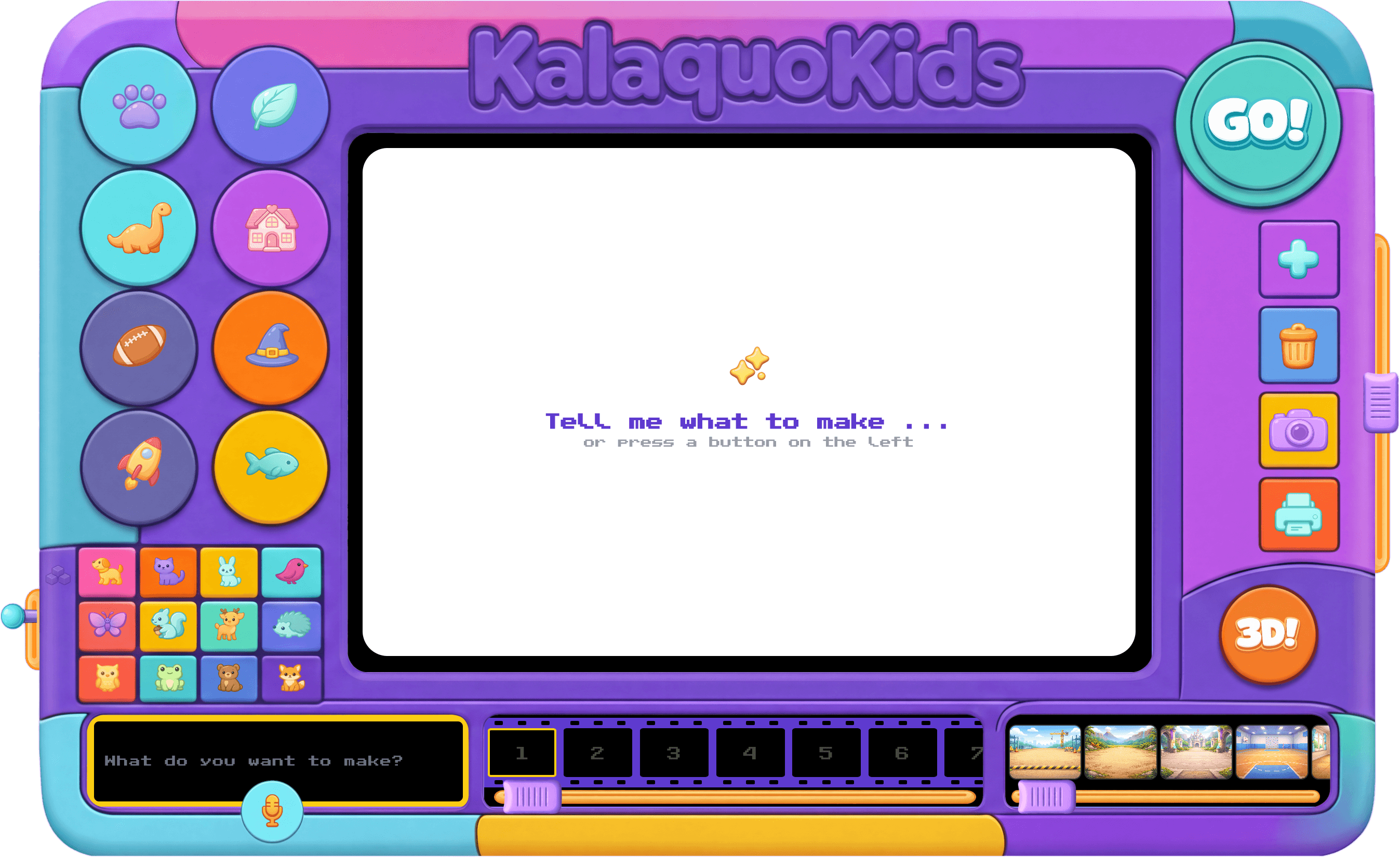
Four Ways to Create
Four fun ways to create. One colorful studio. Made for little hands and big imaginations.
Talk to Create
Tap the microphone, say what you imagine, and watch it happen.
Describe & Create
Type a few words and watch them turn into art — in seconds.
Edit Your Art
Want to change something? Just say "make the sky purple" or "add a rainbow."
Go 3D
Turn any image into a 3D model you can spin, zoom, and explore from every angle.
How It Works
Three simple steps from idea to creation.
Speak or Type Your Idea
Tap the mic and describe your idea — a flying dragon, a robot chef, a castle in the clouds. Or type it in!
See It Appear
Your idea appears in seconds — and no two creations are ever the same.
Edit, Remix & Go 3D
Not quite right? Tell it what to change. Love it? Turn it into a 3D model you can spin and explore.
Safe by Design
Every creation is checked for safety — so kids can explore freely and parents can relax. No ads, no sign-up, and no private data collected.
Kids-Safe Content
Everything your child creates and sees is automatically checked for safety
No Sign-Up Required
Jump straight in — no accounts, no emails, no data collected
Perfect for Littles
Designed from the ground up for young creators — with voice-first input little ones can use
Ready to Create?
No downloads, no sign-ups. Just open the app and let your imagination run wild.